(Updated to include the WisMesh tag, blog article.)
When a person is using a LoRa Mesh network, very often the person is using a small handheld LoRa device. This article talks about the pros and cons of several popular LoRa devices.
(There are two popular communities for LoRa mesh, namely Meshtastic and Meshcore. You can read about Meshtastic (Wikipedia article, community web site) and Meshcore (Wikipedia article, community web site).)
There are several factors that might influence a person’s choice of a small handheld LoRa device, including:
- what it costs
- what it weighs
- how big it is
- what kind of display (if any) that it has
- its battery life
- what processor it uses
- whether it has GNSS (GPS) capability
- who made the LoRa radio
- who made the GNSS device
- what kinds of telemetry data it provides
Here is a tabular summary:
| node type | maker | processor | LoRa | GPS | display | battery | telemetry | amazon | |
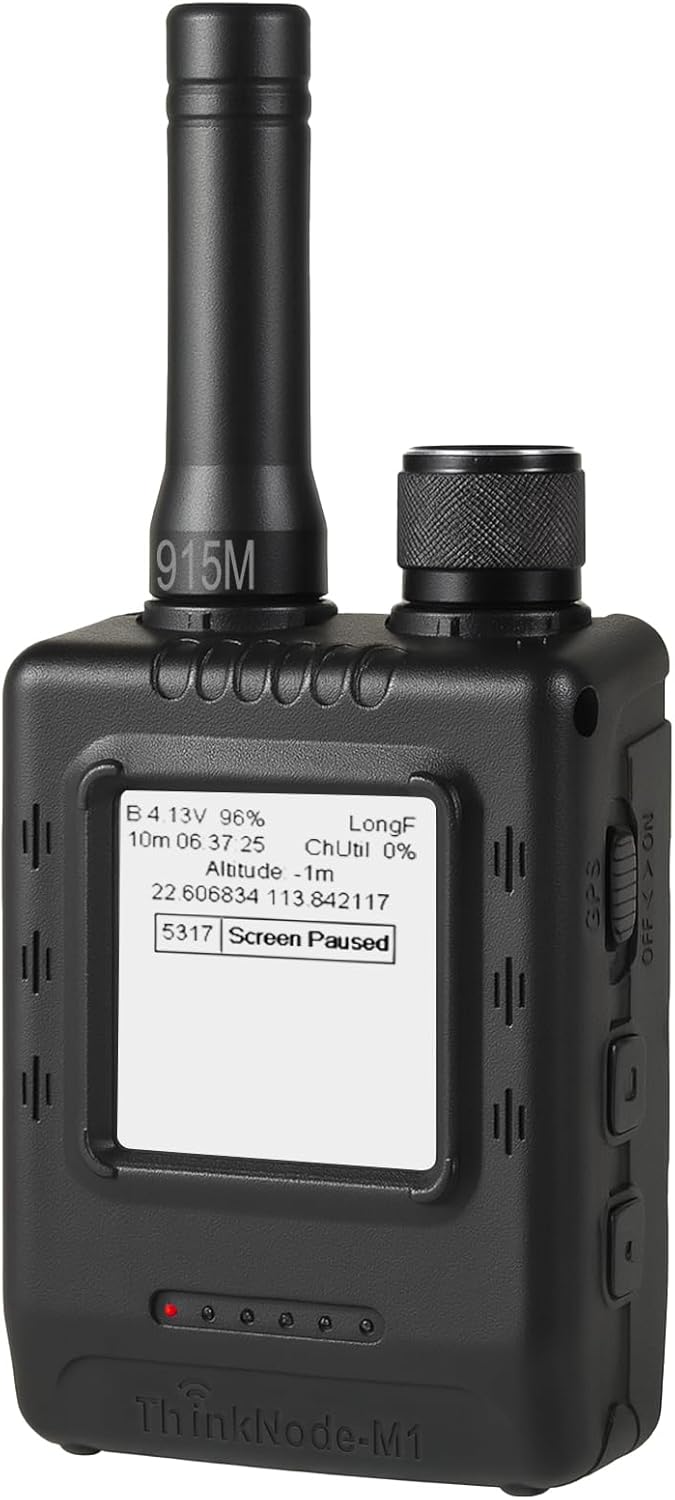 |
ThinkNode M1 | Elecrow | nRF52840 | SX1262 | L76K | E-ink | 1200 | $77.00 | |
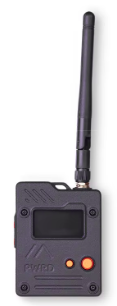 |
Wio Tracker L1 Pro | Seed | nRF52840 | Wio-SX1262 | L76K | OLED | 2000 | $60.00 | |
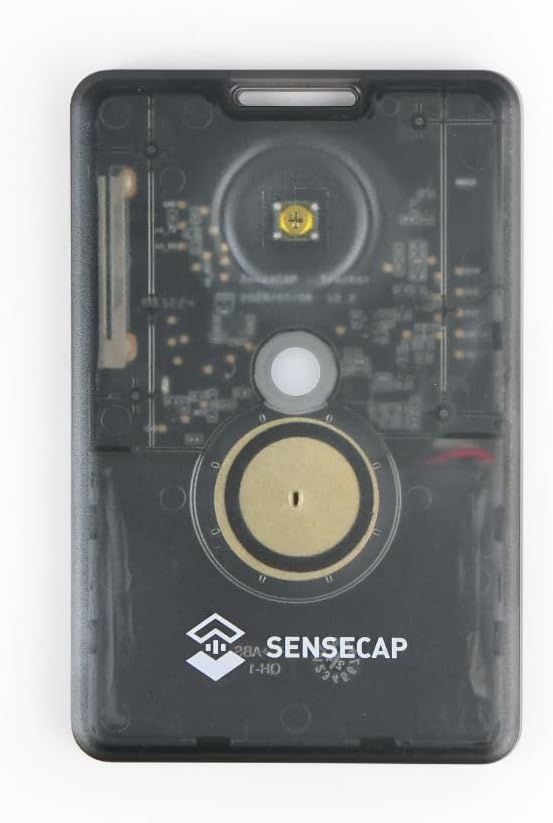 |
SenseCAP Card Tracker T1000-E | Seed | nRF52840 | LR1110 | AG3335 | none | 700 | lux, temp | $51.00 |
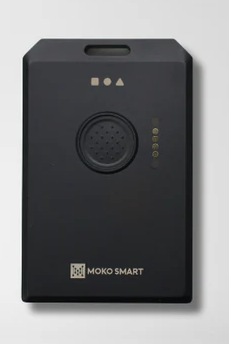 |
WisMesh tag | RAK Wireless | nRF52840 | SX1262 | AT6558R | none | 1000 | ||
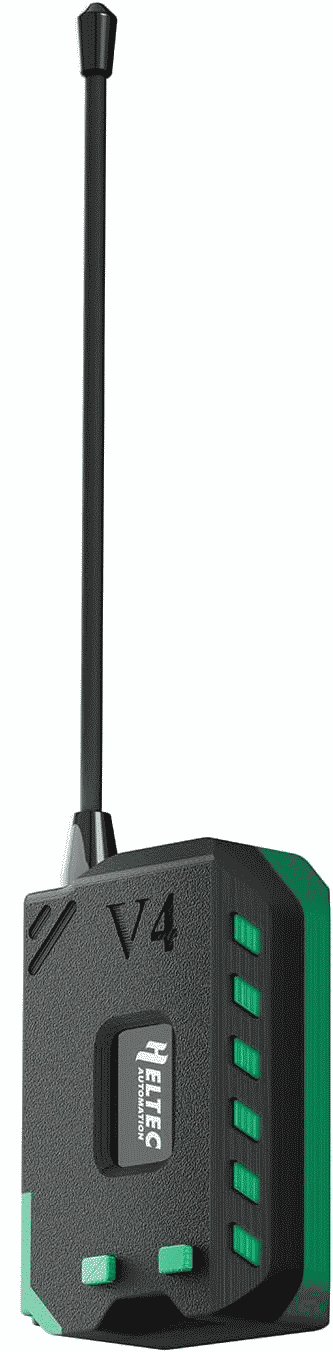 |
Green and black Heltec V4 | Heltec | ESP32S3R2 | SX1262 | no | OLED | 3000 | $43.50 | |
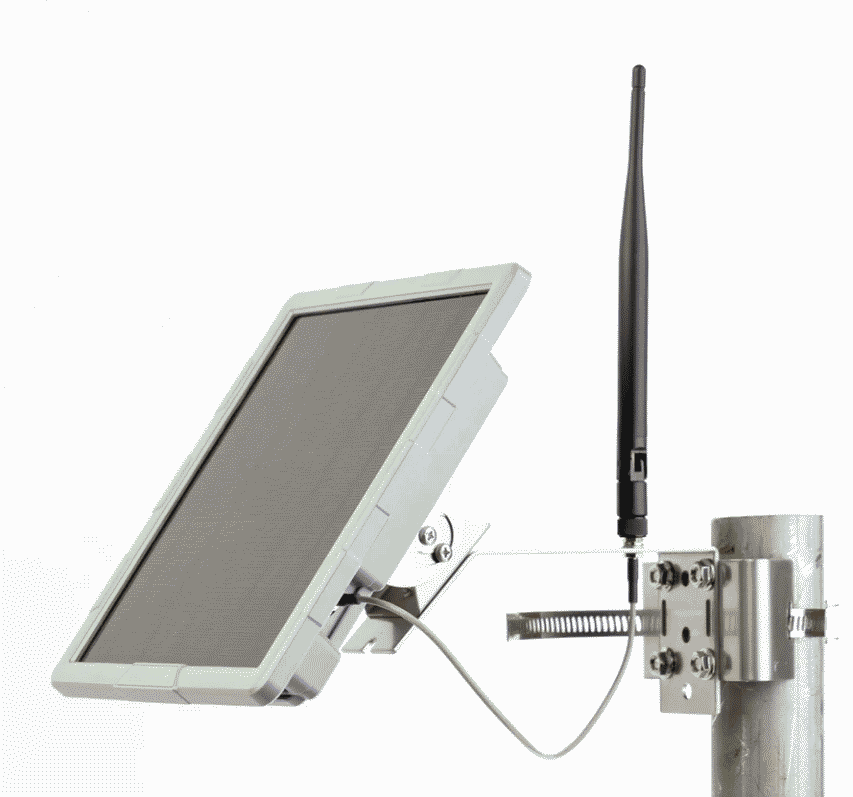 |
SenseCAP Solar Node P1 Pro | Seed | nRF52840 | Wio-SX1262 | L76K | none | 13400 | BME280 | $140.00 |
What doesn’t belong. The alert reader will notice that the SenseCAP Solar Node P1 Pro is not a handheld device, and so does not really belong in this article. But I include it anyway, just to compare features and specifications.
What is the “green and black” device? The green and black device is basically a Heltec ESP32S3 V4 board with a 3D-printed case and a half-wavelength antenna. It lacks a GNSS (GPS). And unlike the power-sipping devices with Nordic nRF52-series processors, it uses the old-school Espressif processor with its higher power drain. What works in its favor is the very big 3000-mAh cell and the big antenna. The brand name is MESHYEAOFAH. I am not making this up.
What processor a device uses. I gather that in the earliest days of LoRa mesh, nearly always the processor used was an Espressif processor. These days if a LoRa mesh node uses an Espressif processor, it is most often an esp32-s3. But the designers of battery-powered devices nowadays often choose an nRF52840 processor, because it draws much less electrical power than the Espressif family.
The Nordic Semiconductor nRF52840 (manufacturer web site) is an advanced, ultra-low power SoC (System on a Chip) designed for complex Bluetooth Low Energy (BLE) wireless applications. It features a 64 MHz Arm Cortex-M4 processor with FPU, 1 MB flash, 256 KB RAM, and supports Bluetooth 5.4 and Meshtastic and Meshcore.
Who made the LoRa radio. Any LoRa mesh device must necessarily have a LoRa (Wikipedia article) radio. LoRa provides a solution for connecting low-power devices over long distances, making them a key technology for the Internet of Things (IoT). The technology is primarily used for applications where small amounts of data need to be transmitted infrequently from hard-to-reach locations, such as in smart agriculture, industrial monitoring, and asset tracking.
Many LoRa mesh devices use the Semtech SX1262 (manufacturer web page) radio. Others use the Semtech LR1110 (manufacturer web page) radio.
Whether it has GNSS (GPS) capability and who made the GNSS device. Years ago there was the GPS (Global Positioning System) provided by the US and that was it. So as not to be reliant on the US system, other governments chose to deploy their own counterpart positioning systems, and the various systems are now collectively referred to as GNSS (Wikipedia article) or Global Navigation Satellite Systems. There are four operational GNSSs: the United States Global Positioning System (GPS), Russia’s Global Navigation Satellite System (GLONASS), China’s BeiDou Navigation Satellite System (BDS) and the European Union’s Galileo.
What I find delightful is that now in 2026 it is commonplace for a consumer positioning radio to receive signals from all four GNSSs. At a particular geographic location, it might happen that there are only a few satellites visible to the radio from some particular GNSS. But even if that happens, satellites from other GNSSs will be visible to the radio. This means that the radio usually can pick up a large number of satellites, thus providing very good positioning accuracy.
To provide positioning capability, the designer of the device must not only provide a positioning chip, but must also provide a positioning antenna. This takes up space and adds weight.
But some handheld mesh devices lack GNSS capability. This might be to reduce cost, to reduce power draw, or to make the device physically smaller. The green-and-black node, for example, has no GNSS.
Display and user interface. The Seeed SenseCAP Card Tracker T1000-E has no display and its entire user interface is a button and an LED and a beeper. That’s it. The Seeed SenseCAP Solar Node P1 Pro has a comparably sparse user interface. There is no display. There are buttons for “power on” and “reset”, and there are some LEDs.
Some devices have an OLED display. The Seeed Wio Tracker L1 Pro has a 1.3-inch OLED display with a resolution of 128 by 64 pixels. The “green and black” node has a 0.96-inch OLED display, again having a resolution of 128 by 64 pixels.
One model discussed in this article, the ThinkNode M1, has 1.54-inch e-ink display with a resolution of 200 by 200 pixels.
A typical user interface for a LoRa mesh device is basically a single button. With this single button, a short press moves from one menu to the next or cycles up or down within a menu. A long press selects a choice from a menu, or opens the menu. This can be a bit tedious but eventually the user gets accustomed to it. This single-button approach is used in the “green and black” node and in the ThinkNode M1. A user with great tolerance for tediousness can actually accomplish some simple tasks directly on the device, without having to resort to a cell phone.
In recent days my favorite user interface has been that of the Wio Tracker L1 Pro. It offers a sort of joystick – the inputs are left, right, up, down, and “press”. The joystick makes it really easy to click from one menu to the next, and to select items from a menu. The diligent user eventually works out that quite a few things can be accomplished pretty easily without having to resort to a cell phone. There is even a pop-up on-screen QWERTY keyboard which one could use (with the joystick) to send custom messages.
Battery life. Of the devices listed here, the one with the biggest cell is the SenseCAP Solar Node P1 Pro at 13400 mAh. But it’s not a handheld device, so we can set it aside for the battery-life discussion.
Next in line in battery size is the green-and-black device, with a 3000-mAh cell. But its processor is the power-hungry Espressift controller. The next smaller battery is the 2000-mAh cell of the Wio Tracker L1 Pro and its processor is in the power-sipping nRF52 family, so it has the longest battery life of any of the handheld devices discussed here. Depending on how much transmitting goes on, the Wio Tracker L1 Pro is likely to run for as much as five days on a charge.
Next in line in battery life is the ThinkNode M1. Its e-ink display uses very little power compared with an OLED display such as in the Wio Tracker L1 Pro, so maybe that helps a little to make up for its smaller (1200-mAh) battery. It is also likely to run for many days on a charge.
Finally we can discuss the SenseCAP Card Tracker T1000-E. Its battery is understandably small, as necessitated by its very thin and small form factor. But it has no display to use up energy. At a mere 700 mAh, this device is likely to last only a day or maybe two days on a charge.
In the world of Meshtastic firmware, there are choices that a user can make that might affect battery life. The default “CLIENT” role will use some amount of energy forwarding packets from other devices. In contrast the rule “CLIENT_MUTE” saves a bit of energy by declining to forward packets from other devices. I will discuss “how to choose a Meshtastic role” in another article. My hope is that most nodes would use the “CLIENT” role because this shows kindness to strangers.
Telemetry. Many LoRa mesh devices send various kinds of telemetry. Many, for example, can be configured to report the state of charge of the battery. Those that have GNSS can be configured to report approximate or exact position and the number of satellites in view. The SenseCAP Card Tracker T1000-E can report ambient light (measured in lux) and ambient temperature. The SenseCAP Solar Node P1 Pro, when modified as discussed here, can report conditions inside the weather-sealed housing, including temperature, humidity, and barometric pressure, using a Bosch BME280 sensor.
Antenna. Let’s suppose you want your signal to propagate as far as possible. What might you do? You could try to increase the transmit power, except that with this particular frequency allocation, there is a strict limit on the permitted transmit power (22 dBm, or about 158 mW). You can try to place the device higher above ground rather than at ground level, but for a handheld device there is not much opportunity for this. The remaining area of flexibility is the size of the antenna.
In the US, LoRa takes place in the 900-MHz ISM band, for which the wavelength is 33 cm or about 13 inches. Ideally, then, an antenna might be 13 inches long. This never happens in real life for a typical handheld device. My reason for trying the “green and black” device is that its antenna is longer than all of the other handheld antennas, at about 17 cm long (about 6¾ inches). The SenseCAP Solar Node P1 Pro has an antenna roughly the same length.
Once we get past these two devices, the other devices have much shorter antennas. The Wio Tracker L1 Pro comes with an antenna about 5 inches long. The ThinkNode M1 is worse at about 2½ inches. By far the worst is the one-inch-long antenna of the SenseCAP Card Tracker T1000-E.
But the LoRa protocol works strikingly well, even with some of these very short antennas.
What cannot be ignored or denied, however, is that longer antennas work better.
Weight and size. The smallest and lightest device considered in this article is the SenseCAP Card Tracker T1000-E at 32 grams (just over one ounce), with dimensions 85 x 55 x 6.5 mm (about 3½ x 2¼ x ¼ inches). Next up is the Thinknode M1 at about 81 grams (just under 3 ounces), with dimensions 82 mm x 51.6 mm x 26.3 mm (about 3¼ x 2 x 1 inch). Next is the Wio Tracker L1 Pro at about 104 grams (about 3¾ ounces), with dimensions 181 x 56 x 26 mm (about 7¼ x 2¼ x 1 inches). Finally we have the “green and black” device at about ?? grams, with dimensions ??.
What it costs. The SenseCAP Card Tracker T1000-E is somewhat in a category by itself. It offers a nearly waterproof IP65 case and it is very small and light in weight. It costs $51 on Amazon, but its maker (Seeed) offers it at $40 and Aliexpress offers it at $54. The Wio Tracker L1 Pro sells for on Amazon at $60 or Seed at $47 or Aliexpress at $50. The ThinkNode M1 sells for $77 on Amazon or $54 on the manufacturer’s web site. The SenseCAP Solar Node P1 Pro sells for $140 on Amazon, $79 on Aliexpress, and $70 on Seeed’s own shopping cart.
How to choose? We can observe several interesting things about this. One thing is that if you don’t mind having to pay for shipping and if you don’t mind that shipping might take a while, you can likely save some money by ordering directly from the manufacturer or maybe ordering from Aliexpress. If you want to use Amazon Prime to get the device in one or two days, it will cost a bit more but will be free shipping.
Another thing to consider is that even if the green-and-black looks like maybe a good deal at $44, you don’t get a GNSS and you get only a two-button user interface. And the processer is a power-hungry Espressif controller. For just a few more dollars you can get the ThinkNode M1 or the Wio Tracker L1 Pro, either of which offers a bigger screen and a power-sipping processor and a GNSS radio. And the Wio Tracker L1 Pro offers the joystick user input device.
But again if what you want is thin and light, really the best choice is the SenseCAP Card Tracker T1000-E.
Solar node. In a separate article I will discuss the world of solar-powered LoRa mesh nodes and I will discuss the SenseCAP Solar Node P1 Pro in more detail.
Leave a Reply to Welcome to the Meshtastic blog – Meshtastic blog Cancel reply